Batch Rating
Scale and efficiency for high-volume quoting
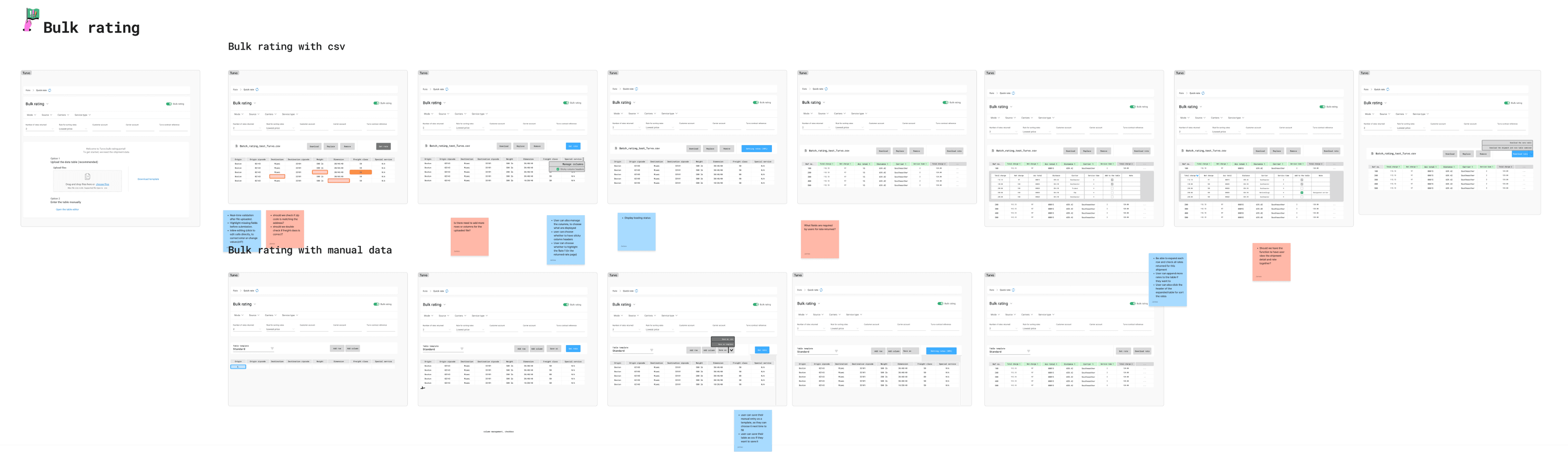
The Batch Rating feature enables users to request rates for multiple LTL shipments at once by uploading a CSV file. Instead of entering shipment details one by one, users can configure their preferences—such as the number of rates per shipment—and receive pricing data in bulk.
impact
80%
Reduction in manual work for bulk requests with Batch Rating

/ problem
Broker needs a faster way to get rates from different carriers
Users often relied on manual spreadsheets or outdated portals to request rates for multiple shipments—making the process is error-prone, time-consuming, and inconsistent.
We interviewed logistics coordinators and carrier managers to understand their challenges with batch rate workflows.
In need of bulk upload method (CSV)
Users needed a bulk upload method (CSV) due to the volume of shipments, the amount varying from 5-1000.
Configure the result
Speed and clarity were critical—users wanted to configure settings once and apply across shipments.
Exportable
Results needed to be exportable for further comparison or internal sharing.

/ideation
A rate center for a quick browsing and booking
This wasn’t a “quick fix” situation — we needed to rethink the foundation.
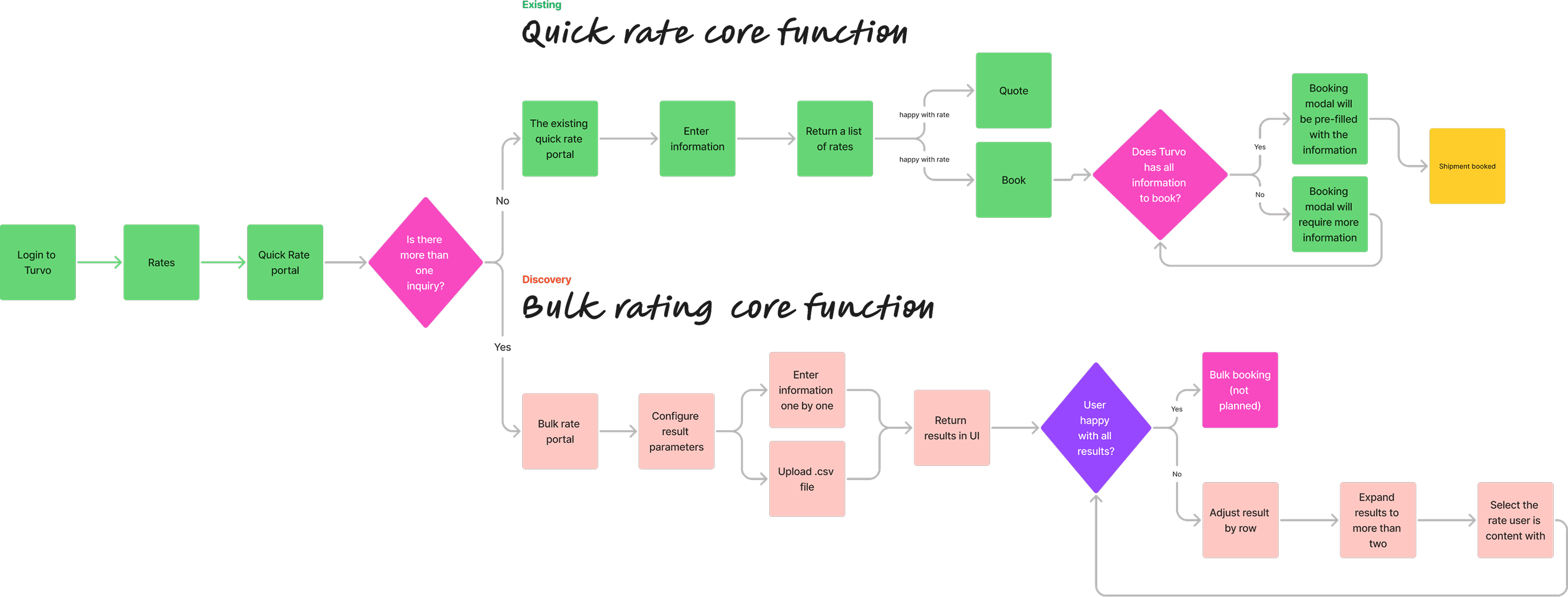
Logical steps
Upload shipment data (CSV)
Configure rating parameters (number of rates per shipment, carrier rules)
Download results
Support flexible workflows
A template generator for users unsure of the CSV format.
Smart validations to flag issues before submission.
Optional toggles for more advanced configurations like “Apply rate rules.”
/minimum Viable Product
Prioritize the core function, upload and download
As a UX designer, I prioritized aligning with the business goal of delivering a usable tool quickly, while coordinating closely with developers to ensure the design remained feasible and focused.
Minimum key steps
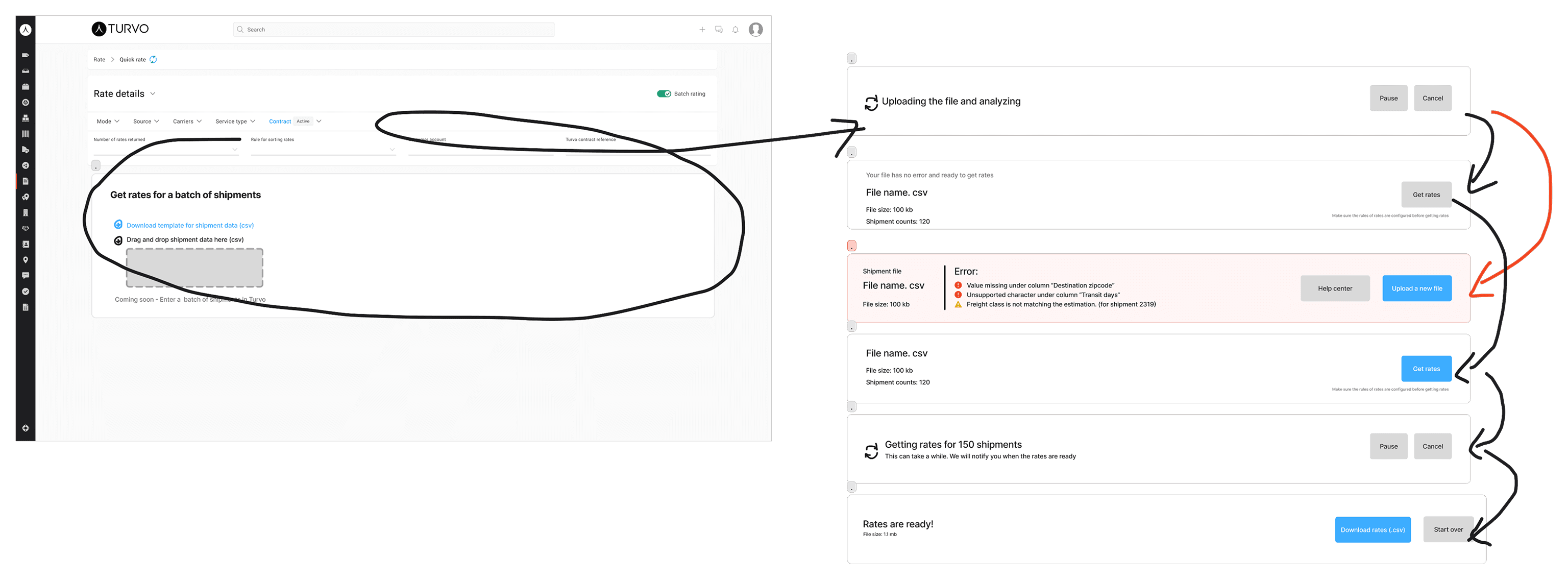
Step-by-step upload validation with field mapping and preview
A rate configuration panel with toggles for number of rates per shipment, carrier selection, and rate rule application
Progress tracking while rates are being calculated
A confirmation screen with a summary of submitted shipments and a download link for results
/usability testing
Meets all basic needs; working as expected
After completing the high-fidelity mockups, I conducted usability testing with internal users and customer beta testers who regularly worked with LTL quoting. The goal was to validate the flow, identify any confusion points, and refine the interactions based on real-world workflows.
Error highlighting
Users needed a bulk upload method (CSV) due to the volume of shipments, the amount varying from 5-1000.
Clear rate configuration
Users needed a bulk upload method (CSV) due to the volume of shipments, the amount varying from 5-1000.
Export options
Users needed a bulk upload method (CSV) due to the volume of shipments, the amount varying from 5-1000.
/final design for MVP
A clean, modern interface that could support dense data inputs
After completing the high-fidelity mockups, I conducted usability testing with internal users and customer beta testers who regularly worked with LTL quoting. The goal was to validate the flow, identify any confusion points, and refine the interactions based on real-world workflows.
Flexible file upload
I designed a flexible file upload module with visual cues for status, mapping previews, and real-time error handling.
Clearly labeled configurations
I created a configuration panel with clearly labeled toggles and drop-down for rate types, carrier filters, and rule preferences;
I used visual hierarchy and spacing to guide users step-by-step—from upload to configuration to rate retrieval.
Error correction
There is also error state to guide users to correct mistakes before using the api, preventing users from excessive unnecessary api calls.
/summary
As the UX designer, I actively followed up with customers after the MVP launch to gather feedback, monitor related change requests (CRs), and track support tickets. This ongoing engagement helped identify pain points and feature gaps, such as the need for live error correction. By keeping a pulse on user needs and internal priorities, I ensured we were ready to deliver a more powerful, full-feature version of the Batch Rating Tool once resources became available.
/follow-up interviews
Full potential of the Batch Rating Tool
A live CSV editor for in-platform error correction, enhanced filtering options like volume rate toggles, and a preview of estimated API calls.
Volume rate control
Users emphasized the need for volume rating control, allowing them to include or exclude volume-based rates based on shipment context.
Live mistake correction
Many also requested live mistake correction—the ability to instantly identify and fix formatting or data errors during CSV upload, rather than through trial-and-error.
API call estimation
Users expressed interest in having an API call estimation feature to preview how many rating requests will be triggered, helping them manage system load and prevent accidental overuse.